Independent Game Studio // Handmade Systems // Signal Live
MaggotClaw Games

Strange Things
Come Alive

MaggotClaw Games is a game studio. We build worlds, and we build the machines that build them.

See The Work ↓
01 / Featured Worlds

See What's Growing

Private Creator System // In Beta Now

IMAGO

Earn from what you make without giving away who you are. IMAGO puts one synthetic face over yours, the same one every time. It locks your originals away before it touches anything and strips the location and camera data your photos carry. Then it stays with you for the rest: your plan, your room, your platforms and your money. Use it as a Windows app on your own computer, or in any browser on the web.

Identity ProtectedOriginals Encrypted FirstWindows App Or WebYou Approve Every Export
Open IMAGO ↗
IMAGO icon: a startled Mona LisaSubject: IMAGO // Signal Locked
01
The Long Rot emblem
A Novel // 18 Chapters // The Source Story

The
Long Rot

Something in the ground has waited a very long time, and it's done waiting. Eighteen chapters of blood-sight, bounty work and a debt nobody remembers signing. Chapter One is up now, free to read, and you don't need an account. Everything else MaggotClaw builds grows out of this book.

Open The Long Rot ↗
02
An android reading The Long Rot as the book comes apart into dataInput: The Long Rot // Ten Systems Reading
Autonomous Multi-AI Game Studio // Grant Track

Project
Zero
Author

Ten machines shut in a room with one book, arguing until a game falls out. One reads and one designs, while another breaks what the others made and hands back the pieces. Nobody is in charge, and the whole manuscript goes in. The open question is what they'll have turned it into by the time they finish.

Open Project Zero ↗
03
Watch Together, Anywhere // Idea Stage, Not Built

Tether

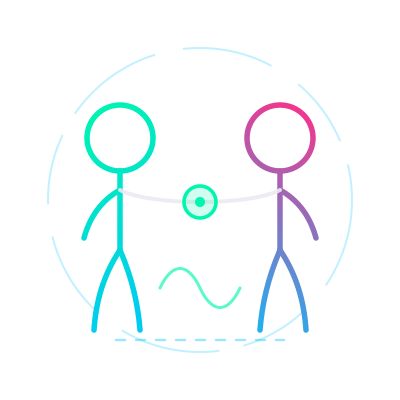
Two people three hundred miles apart, on the same frame at the same second. Tether is a line strung between two rooms so nobody has to say "wait, go back, I paused." It doesn't care which service the film is on or whose disc it is. It only keeps you both in step. Nothing is built yet; for now it's an idea with a name.

Any ServiceIdea Stage
Open Tether ↗
Tether emblem: two figures merging
04
Instar emblem: an open book
The Reader // Windows App // In Beta

Instar

A book you can talk back to. Instar reads The Long Rot aloud and takes your notes in the margin, and it lets an AI sit in the text beside you instead of in some other window across the desk. It's for readers who want to argue with a chapter, and for the few people trusted to see one before anyone else does.

Read Or ListenNotes In The Margin
Open Instar ↗
05
Voice-To-AI Writing Tool // In Beta

Mouth
piece

Stop typing at the machine. Mouthpiece takes what you say, puts the words into the AI chat you already use (Claude, ChatGPT, Codex or Antigravity) and presses send for you. There's no new account and no copying and pasting. We built it because writing a book out loud at two in the morning shouldn't take both hands.

Talk Instead Of TypingWorks With Your AI App
Open Mouthpiece ↗
Mouthpiece emblem
06
Meet the MagloditesMeet The Crew ↗
02 / Followers Of The Claw

Maglodites
Unite

Readers, testers, editors, collaborators and friends of the strange. If you keep coming back to see what's crawled out of the machine this time, you're probably one of us already.

No newsletter sludge. Leave whenever you like.
← Back To MaggotClaw World 02 // A Novel // 18 Chapters // The Source Story

The
Long Rot

A dark, living manuscript with its own reader, and the source story for everything MaggotClaw is building. The Long Rot is the book being turned into a game. It's the story Project Zero Author will be fed to make that game.

The Name

Rot Feeds Something Else

Rot is slow, thorough and very much alive. It takes a finished thing apart and feeds it to something new. The word names the book, and it names what the book is being fed into: the manuscript goes into Project Zero and comes out as a game.

The Book

Rot Doesn't Announce Itself

It starts small and stays quiet, and by the time anyone names it, it's already in the roots. Read the released chapters here, or let Instar read the story to you a sentence at a time. It remembers exactly where you stopped.

The Game

The Story Becomes The Build

Every chapter posted here is also raw material for Project Zero Author, the multi-AI system that will take this manuscript apart and rebuild it as a game you can play.

Chapter One // Out Now

The Bounty

Silas Crane walks a wanted man out of the Saint Barrow bottoms, and something else walks out behind them. The first chapter is live and free to read. It runs about 13,000 words, roughly a 55-minute read.

Contains graphic violence. For adult readers.

Read Chapter One ↗
Who You'll Meet

The Cast Lives In The Chapters Now

Each chapter lists its own people: who's on the page, and what they are to each other. Open the chapter list and pick one.

All 18 Chapters ↗
The Long Rot // Chapters

Read It Or
Let It Speak

All eighteen chapters in order, with who turns up in each. Chapter One is live. Open it and the player on that page will read it to you, then ask what you thought.

🔒 The Long Rot: The PeopleEvery character in the book, with a face or without one. It gives things away. Maglodites only. Locked
← Back To MaggotClaw World 01 // Private Creator System // In Beta

IMAGO

IMAGO is for people who want to earn from what they make without giving up who they are. It puts one synthetic face over yours, the same face every time, on everything you publish. It locks your original pictures away before it changes a single pixel and strips the location and camera data your photos carry. Then it stays with you for the rest of the job: the plan, the room, the platforms, the money, and the first-week problems that make most people give up.

We recommend the Windows app. Compare the two and get help installing →

The Name

The Final Stage Of Becoming

An imago is the last stage of an insect's life: the finished adult that comes out after the final moult. In psychology it's an idealised picture of a person that isn't quite the real one. The product is both. You come out the other side finished, and the world sees an image of you that isn't quite you.

How It Works

Add. Pick. Apply. Look.

Add your photos. Click the person to protect, which is you, once, in a clear picture. Make a face, or start with the one that comes with IMAGO, and apply it. From then on IMAGO finds only that person in the rest of your pictures and leaves everyone else alone. Anything it isn't sure about comes to you instead of being guessed. Every result sits beside its original, and nothing leaves the program until you say it can.

The Part Nobody Else Does

It Stays With You For The Whole Job

People rarely quit because the software was hard. They quit because they couldn't get paid, picked a platform that doesn't allow what they make, didn't have the ID it asked for halfway through signing up, or ran out of things to post six days in. So IMAGO starts with a conversation instead of a blank window, and each answer changes the next question. What comes out is a plan built for your situation. Stop halfway and it picks up where you left off.

What It Does

Here's what's in the Windows app today, all in one program on your own computer.

Since The First Beta

IMAGO updates itself from the same channel as this page. Here's what has changed since people started installing it, newest first.

  1. 2.17 // 12 Sep 2026The free period starts, and being unpaid never traps your files

    IMAGO is free for three months from the first time you run it, and after that it becomes a subscription. No payment system is connected yet, so nothing can be bought or charged. If it ever pauses, you can still open, copy and export everything; only the tools that make new work wait. You can now delete your account from the Security tab, points belong to each account on a shared computer, and a backup recovery key can be revoked.

  2. 2.16 // 7 Sep 2026The MaggotClaw mark is back, and your plan uses answers that used to change nothing

    Your Plan now uses eight more of your setup answers, from where you live to whether you're set up to be paid. Points are paid only for work IMAGO can see, and goals tick themselves. Both MaggotClaw marks in the window now open our website.

  3. 2.14 // 6 Sep 2026IMAGO checks what your computer can handle, and your videos have pictures

    It measures your computer once on the first start and does less work on a smaller machine instead of struggling. Videos in Originals show a picture from the clip, adding a lot of files no longer freezes the window, and backing up a big video uses far less memory.

  4. 2.13 // 5 Sep 2026Bigger lettering, another try on any face, and one place for your points

    All the lettering is one size bigger. Re-evaluate redoes a face a different way each time you press it. Your points live in the Wallet, the Store has an Equipment shelf, and the Support page has a Send Diagnostics button.

  5. 2.12 // 5 Sep 2026A warmer look, the real mark, and a setup interview that stops asking what it already knows

    The program is warm mahogany now, with brass and gold trim. The interview offers choices where it can work out your answer, and the plan stops giving advice that doesn't fit you.

  6. 2.11 // 4 Sep 2026Your calendar, your accounts, a check for your clips, and everything in bold

    Calendar gets its own place in the sidebar, with Month, Week and Appointments and drag-and-drop between days. Platforms gets a tab for each saved account, plus Read My Page. Every finished clip in Video gets Check It. The setup interview picks its next question from your last answer. The research behind the advice more than tripled, the home page explains beta points, and Your Plan uses the whole window. Every word in the program is bold now, so the thin grey lettering is gone.

  7. 2.10 // 2 Sep 2026A checker for your finished pictures, and eyes that are real

    Photo Check arrives in the Store. Ask for the eye colour you want when making faces and get faces born with it, not painted. Double-click any face to see it large. There's a Restart IMAGO button after you install an add-on, and Account is one clean page.

  8. 2.9 // 30 Aug 2026The green boxes are back on your photos

    Picking a face works again after we broke it in 2.8. That was our fault, and it's fixed. Double-click the picture you added to open it big.

  9. 2.8 // 30 Aug 2026Reading faces works on an installed copy

    Every installed copy was looking for the face engine in a place that only existed on our own machine. That's fixed, and errors now say what actually went wrong.

  10. 2.7 // 30 Aug 2026Send photos straight from your phone

    A Phone screen under Library: your phone and your computer connect over your own Wi-Fi, and nothing goes out to the internet on the way.

  11. 2.6 // 30 Aug 2026Guided Setup asks more, so the advice fits you

    Ten more questions about how you actually work, and bolder, larger text everywhere.

  12. 2.5 // 30 Aug 2026Platforms, and messages that actually reach us

    The Platforms screen arrives. Messages from the Support page reach us in seconds instead of half an hour, by two separate routes.

Still Being Built

What We Haven't Finished Yet

Photo Check will learn to catch the rest of what a frame gives away, like a street sign, the mail on the table or a reflection in the glass. Until it can, the program tells you it hasn't looked, so you don't assume it has. Separate queues for paid, promotional and owed work, records of where your subscribers came from, and a consent record for everyone in a shoot are designed and on the Store's coming-soon list, each with what has to exist first. Read My Page and Video Check are still new and have been tried on a handful of pages and clips, not hundreds. If a number reads wrong or a check misses something, tell us from the home page. That's what the beta is for.

What It Saves You

Cheaper To Run, Before It Makes You A Dollar

Lighting, audio, backdrops, storage and editing software cost real money right when you have the least of it. Part of the plan is partner pricing on the gear and services creators actually buy, negotiated as a discount rather than sold as an ad. There will never be banners or a sponsored feed. The only deal worth having with a brand is a lower number on the price tag.

Hard Lines

What It Will Never Do

Face replacement here exists to protect the person whose account it is. It's never a way around a platform's verification or anybody's consent. If more than one person is in the frame, IMAGO asks whose account this is and asks about consent for everyone else, and a different face doesn't change that. It refuses outright if you're under 18. It isn't a lawyer or a tax advisor, and it says so instead of guessing. It can't promise you'll never be leaked, but it keeps your originals safe so you can always show what was yours. The Windows app never holds your platform passwords, never signs in to anything for you and never posts on your behalf, and no picture leaves it until you've looked at it.


Get IMAGO

Two Ways To Use IMAGO

We recommend the Windows app on your own computer. It keeps everything in one place, and it runs faster and smoother as its own program. If you can't install it right now, IMAGO on the web works in any browser.

Recommended

The Windows App

For Windows 10 or 11 on a desktop or laptop. Free to download.

Download The Windows App

Checking the current version…

IMAGO On The Web

Works in your browser on a phone, tablet or computer, with nothing to install. Start the interview and get your plan, then make a free account to keep your plan, calendar and library.

Use IMAGO On The Web

Opens imago.maggotclawgames.com

Identity ProtectedOriginals Encrypted FirstPhoto Data StrippedYou Approve Every ExportPrivate And Creator Kept ApartNo Passwords HeldNo Ads
Active Development
← Back To IMAGO Downloads

Get IMAGO

Two Ways To Use IMAGO

We recommend the Windows app on your own computer. It keeps everything in one place, and it runs faster and smoother as its own program. If you can't install it right now, IMAGO on the web works in any browser.

Recommended

The Windows App

For Windows 10 or 11 on a desktop or laptop. Free to download.

Download The Windows App

Checking the current version…

IMAGO On The Web

Works in your browser on a phone, tablet or computer, with nothing to install. Start the interview and get your plan, then make a free account to keep your plan, calendar and library.

Use IMAGO On The Web

Opens imago.maggotclawgames.com

Installing The Windows App

The first time you run the installer, Windows shows a blue warning because the app isn't code-signed. It isn't a virus warning. Click More info, then Run anyway.

Show Me How To Install It

On A Phone Or Tablet?

The Windows app won't install there. Use IMAGO on the web, or send yourself this page and download the app later on your computer.

Check Your Download
  • File Name—
  • Size—
  • Version—
  • Released—
  • SHA-256—

To check the file, open PowerShell in your Downloads folder and run Get-FileHash .\IMAGO-Setup-<version>.exe. The hash it prints should match the SHA-256 above, character for character. If it doesn't, delete the file and tell us.

← Back To Get IMAGO Installing IMAGO // Windows // Two Clicks

Getting Past The Warning

Windows puts up a blue warning when you run the IMAGO installer. It's a check on the publisher's name, and nothing has been scanned and found wrong. The warning isn't going away either, so here's exactly what to click, and why it's there.

The Short Version

More Info, Then Run Anyway. That's All.

The window that appears says Windows protected your PC, and the only button on it says Don't run. It looks like a dead end, but above that button there's a small link that says More info. Click it and a Run anyway button appears. Press that and the installer opens normally. The three steps below show where everything is, with the thing to click circled.

Step 01 // Your Browser

Your Browser May Speak Up First

Chrome and Edge both keep their own count of how often a file has been downloaded, and a brand-new installer isn't on anybody's count yet. So before Windows says anything, your browser may hold the download with a message like “isn't commonly downloaded”. It's the same reason, from a different company.

In Chrome: open your downloads (Ctrl + J), find the IMAGO file, open the … menu beside it and choose Keep. Depending on your version, Chrome then asks once more to confirm.

In Edge: open your downloads (Ctrl + J), open the … menu beside the file, choose Keep, then Show more, then Keep anyway.

If your browser saved the file without arguing, skip this step. Nothing is wrong.

Downloads IMAGO-Setup.exe isn’t commonly downloaded — make sure you trust it … Keep Delete Choose Keep

Chrome and Edge look slightly different; the words are the same

Step 02 // The One People Miss

Click More Info. It's A Link, Not A Button

Run the installer and this appears:

Windows protected your PC
Microsoft Defender SmartScreen prevented an unrecognized app from starting. Running this app might put your PC at risk.

There's one button, bottom right, and it says Don't run. This is where almost everybody stops, because the window seems to offer only one answer.

Under the message, in small blue text, is a link that says More info. It doesn't look like something you can click, and that's exactly the problem. Click those two words.

✕ Windows protected your PC Microsoft Defender SmartScreen prevented an unrecognized app from starting. Running this app might put your PC at risk. More info Click This. It's A Link Don’t run The Only Button. Don't Press It

Step 02: Before You Click More Info

Step 03 // Run Anyway

A Second Button Appears. Press It And You're In

The window grows two lines and one new button. The lines say:

App:  IMAGO-Setup-….exe
Publisher:  Unknown publisher

“Unknown publisher” is the whole warning. It means nobody has bought a name badge for this file. It says nothing about what's inside it.

Next to Don't run there's now a Run anyway button. Press it and the IMAGO installer opens normally. That's the last step.

✕ Windows protected your PC Microsoft Defender SmartScreen prevented an unrecognized app from starting. Running this app might put your PC at risk. App: IMAGO-Setup-….exe Publisher: Unknown publisher Run anyway Don’t run Now Click This

Step 03: After You Click More Info

Why It Happens

A Name Check, Not A Virus Scan

SmartScreen doesn't open IMAGO and inspect it. It asks two questions: has the publisher paid for a code-signing certificate, and have enough people already downloaded this exact file for Windows to have an opinion about it? For us the answer to both is no. Reputation belongs to each individual file, so every new build starts from nothing again.

So the warning doesn't mean malware was found, that your computer is at risk, or that the download went wrong. It means nobody has bought a name badge for this file and not many people have run it yet.

We're not going to buy the badge. A signing identity costs around ten dollars a month, every month, for a program that's free to download. We'd rather spend that money on the program, so the warning will stay on this build and on the ones after it. Better to say so up front than have you think you've hit a bug.

You don't have to take our word for it, though. You can check the file: its name, size and SHA-256 are published on the download page and in the IMAGO app, and they're the numbers from our own build.

Check You Have The Right File

Name, Size And Fingerprint

These come from the same file that drives the download button, so they always match the current build. If the file in your Downloads folder doesn't match, don't run it. Tell us instead.

  • File Name—
  • Size—
  • Version—
  • SHA-256—
What We Will Never Ask You To Do

Don't Switch Anything Off For Us

You'll find guides telling you to turn off SmartScreen, disable Microsoft Defender or exclude your whole Downloads folder. Please don't do any of that for us. Everything above is a choice you make once, for one file, with your protection left exactly as it is. That's all this page asks for.

One exception worth knowing about: on some Windows 11 computers a feature called Smart App Control blocks the app instead, and that window has no More info or Run anyway on it. There's no way to let a single app through it. If that's what you see, tell us rather than turning the feature off. Turning it back on afterwards is a real hassle, and our installer isn't worth that.

Still Stuck

Tell Us What You Saw And We'll Sort It Out

If the installer won't run, or your window doesn't look like either picture above, tell us and describe what's on the screen. Most of the time it's a two-minute fix on our end, and if it isn't, we still want to know.

← Back To MaggotClaw World 03 // Autonomous Multi-AI Game Studio // Grant Track

ProjectZeroAuthor

About ten AI systems talking to each other. Hand them a story and they pass it back and forth, writing, designing, building and testing, until the story is a game. No human takes part in the build.

The Name

Zero, As In The Count

Zero is the number of human authors left in the room once the machines start passing the manuscript around. It's the honest name for the experiment. Somebody wrote the book. Nobody writes the game.

InputThe Story
(The Long Rot)
→
AI 01
AI 02
AI 03
AI 04
AI 05
AI 06
AI 07
AI 08
AI 09
AI 10
About Ten Systems, Passing It Back And Forth
→
OutputThe Game
How It Works

The Story Keeps Moving

Each AI system takes the project, does its part and hands it to the next. The loop keeps running (write, build, test, refine) and the systems talk to each other the whole way.

The Scale

Expensive, And Worth It

This is a heavy system. The target build runs about ten frontier-level AI systems at once, in constant conversation, and that isn't cheap. We're pursuing grant funding to build it at full scale. The first job: feed it The Long Rot and let it make the game.

← Back To MaggotClaw World 04 // Watch Together, Anywhere // Idea Stage

Tether

Watching something with someone used to mean being in the same room. Tether is the idea that it shouldn't have to. Two people three hundred miles apart should be able to press play on the same thing at the same moment, and stay in step the whole way through.

The Name

A Line Between Two Things

The only name here with no insect in it. A tether is a line tied between two things so neither one drifts off, like two people in two rooms staying in step through one film. The plainest word for it turned out to be the right one.

Where This Actually Is

Nothing Is Built Yet. It's An Idea

There's no code or prototype, and no date. It's on this page because it's the next thing we're thinking about, and there's nothing to try yet. When that changes, this panel will change with it.

The Problem

Everything Else Picks The Service For You

Most watch-together tools only work inside one platform. If your friend doesn't have that subscription, or the film isn't in their country's catalogue, the evening is over before it starts.

The Idea

Sync The People, Not The Platform

Tether wouldn't host anything or care where the picture comes from. Everyone brings their own copy from wherever they already have it, and Tether only keeps the group in step, with one play, one pause and one place in the film.

What It Would Need

The Hard Parts

The real engineering is keeping playback lined up across different computers and connections. Doing it without touching, copying or rebroadcasting anyone's video is what keeps it legitimate. Neither problem is solved yet.

Why It's Here

It Fits The Rest Of The Shelf

It comes from the same instinct as our other tools: it would run on your own computer, use your own files, and work without a company in the middle.

← Back To MaggotClaw World 05 // The Reader // Windows App, In Beta

Instar

An instar is the stage an insect lives in between two moults, the shape it holds while it's still changing. A book is in that state while someone is reading it. Instar is a Windows reader for The Long Rot. It reads aloud, takes your notes in the margin, and puts an AI in the text beside you instead of in a window across the desk.

The Name

The Stage Between Changes

A caterpillar passes through several instars before anything interesting happens, and the imago is the last stage of all. A reader is where a book sits while it's still changing shape, with notes in the margin, arguments, and a chapter that isn't finished with you yet. We named it as IMAGO's younger sibling on purpose.

Where This Actually Is

In Beta, And Not Finished

Instar installs and runs today. It's an early beta and we work on it constantly. It was split off from a larger program so the reading side could grow on its own. The voice-to-AI half is now Mouthpiece, a separate program.

Read And Listen

The Chapter, Out Loud

Read it on screen or have it read to you, with the audio and the text staying in step. It's built for the way people get through books now: half on a screen, half while doing something else.

Argue With It

Notes In The Margin

Comments and editing notes belong next to the sentence that caused them, instead of in a separate document nobody opens again. Readers, testers and editors all mark up the same text.

AI, In The Book

Right There In The Text

What we're building next: an AI that already has the chapter in front of it, so asking about a character doesn't mean pasting three pages into a chat box first. This part is still in progress.

Who It's For

Early Readers First

The people trusted with a chapter before anyone else sees it. If that's meant to be you, you already know, and the door in the corner of this site is where you go.

← Back To MaggotClaw World 06 // Voice-To-AI Writing Tool // In Beta

Mouthpiece

A mouthpiece speaks on your behalf, into something else, and that's what this program does. You talk, and it puts your words into the AI chat you already have open and presses send. There's nothing to sign up for and nobody in the middle.

The Name

The Part You Speak Through

A mouthpiece is the part you speak through, and also a person who speaks for somebody else. The program does both jobs, quite literally: it reaches into another app's input box, puts your words there and presses send. For a while it was called Proboscis, after the mouthpart an insect pushes into something to feed. That was accurate, but it asked too much of a stranger.

Where This Actually Is

In Beta, And Rough In Places

It installs, types your words in and sends them. Speech recognition is the part we're still hardening. It used to be one half of a larger program and is now its own, so it can focus on writing instead of reading. The reader half is Instar.

No New Account

Your AI, Not Ours

Mouthpiece drives the desktop apps you already pay for: Claude, ChatGPT, Codex and Antigravity IDE. There's no MaggotClaw login and no MaggotClaw server, and nobody else sits in the middle of your conversation.

Written Out Loud

For Long Sessions

It's built for someone working through a manuscript with an AI for hours at a time, when the typing itself becomes the thing slowing you down. Say it, watch it land in the box, and keep going.

For Collaborators

For Anyone Writing With AI

We split it out so anyone helping with the book, or working on a writing project of their own, can use it without getting a reader they don't want.

Honest Limits

What It Doesn't Do

It doesn't write for you, host your text or store your conversations. It moves your words from your mouth into a box that was already on your screen, and that's all it does.

← Back To MaggotClaw Followers Of The Claw // The Crew

Maglodites

Readers, testers, editors, collaborators and friends of the strange. Most of the seats here are still empty on purpose. The work is small enough that everyone who joins actually changes it. Click a name to see who's behind it.

The Name

Maggot, Plus Troglodyte

A troglodyte lives in the cave. A maggot lives in whatever the cave is digesting. Put them together and you get the people who keep coming back down here to see what's crawled out of the machine this week, and stay to poke at it.

The Crew
Meet The Original Crew

The ones who were here first, in the order they showed up. Click a name.

← All 18 Chapters The Long Rot

Chapter

← All 18 Chapters The Long Rot // The Whole Roster

The People

Everyone in the book, in one room, whether they have a face yet or not. This page gives things away: who lasts, who doesn't, and who turns out to be someone else. Maglodites only.

🔒

Spoilers Past This Point

The full roster names people who haven't turned up yet, and says what they are to each other. If you haven't read Chapter One, this will take things from you that you can't get back.

Read Chapter One First ↗
← Back To The Maglodites Followers Of The Claw

Crew

← Back To MaggotClaw Questions // Straight Answers

FAQ

What people actually ask before downloading IMAGO. If your question isn't here, write to the studio and it'll probably be here next time.

The One Everybody Asks

Windows Warned Me This File Is Dangerous. Is It?

No, and the warning is honest about what it actually knows. IMAGO isn't code-signed, so Windows SmartScreen has no publisher certificate to check, and it says so. The warning means "I haven't seen this file before". It doesn't mean "this file is harmful". A signing certificate costs money every month, and we've decided not to buy one, so the warning will stay.

You can check the file yourself instead. Every release publishes its exact file name, size and SHA-256 hash on the download page. If the file you downloaded has the same hash, it's byte for byte the file we built, and you can check that without trusting anyone's badge.

To get past the warning, click More info, then Run anyway. If you'd rather not run an unsigned program, that's a completely reasonable position, and IMAGO on the web needs no install at all.

App Or Web

Which Should I Use?

We recommend the Windows app. It keeps everything in one place, and it runs faster and smoother as its own program. IMAGO on the web is there for when you're on a phone or tablet, on a computer you can't install things on, or you'd like to try it first. Both are on the download page.

What It Is

What Does IMAGO Actually Do?

It puts one synthetic face over yours, the same face every time, on everything you publish. It locks your original pictures away before it changes a single pixel, strips the location and camera data your photos carry, and then stays with you for the rest of the job.

What It Collects

What Data Do You Collect About Me?

This website collects none. It sets no cookies, runs no analytics and loads nothing from anyone else's server. The IMAGO Windows app does its work on your own computer, and your originals never leave it. IMAGO on the web is different: you sign in, and what you add there is kept on our server so the web version can work with it. The privacy page has the details.

Requirements

What Do I Need To Run It?

Windows 10 or 11, a reasonably modern computer, and disk space for the installer plus whichever add-ons you choose. We're still confirming the exact minimum spec, so treat this as a rough guide for now.

The Beta

What Does "Beta" Mean Here?

It installs, runs and does the job, and it's still changing. New features land regularly, things sometimes move, and the version number goes up often. IMAGO is free for three months from the first time you run it, and after that it becomes a subscription. No payment system is connected yet, so nothing can be charged. If something breaks, telling us really does help.

Checking The File

How Do I Verify The SHA-256?

Open PowerShell in the folder you downloaded to and run Get-FileHash .\IMAGO-Setup-<version>.exe. Compare what it prints with the hash on the download page. They should match exactly, character for character. If they don't, delete the file and tell us. We'll want to know.

← Back To MaggotClaw Privacy // What We Don't Do

Privacy

Most privacy policies are a long way of saying "we collect a lot". This one is short because there's almost nothing to declare, and you can check everything it says about this website by viewing the page's source.

This Website

It Collects Nothing

This site sets no cookies and runs no analytics. It loads no fonts, scripts, trackers, pixels or embeds from anybody else's server; every file comes from this domain. There's no advertising of any kind. Nothing you do on this page is recorded, profiled or shared, because nothing here is doing the recording.

This website has no account system. The vault door is a mock-up and holds no accounts. Nothing on this page sends any information anywhere.

What The Server Sees

Ordinary Web-Server Logs

Like every website, our host's servers record standard request details: IP address, time, the file requested and your browser's user-agent. The hosting company's systems create those logs, not this page, and the web doesn't work without them. We don't analyse them or link them to anybody.

If You Email Us

Only What You Send

Every contact button on this site opens your own email app with a message ready to send. Nothing is submitted to this website and nothing is stored here. If you write, we have your email address and whatever you chose to put in the message, and we use it to reply to you and for nothing else.

IMAGO, The Windows App

It Runs On Your Computer, Not Ours

The IMAGO Windows app does its work on your own computer. Your original pictures and videos aren't uploaded, and your originals are locked away before any processing starts. The app doesn't hold your passwords in a form we could read, and we have no access to your library, your files or your results.

The app does contact our download server to check for new versions, fetch add-ons you ask for and update its research library. Those are downloads. If you use the Support page in the app, the message you type is sent to us so somebody can answer it.

IMAGO On The Web

A Separate Service, With Its Own Sign-In

IMAGO on the web runs on our server, not on your computer. It has its own sign-in, and what you add there, such as your pictures and your setup answers, is stored on our server so the web version can use it. If you'd rather keep everything on your own computer, use the Windows app.

If This Changes

Any Change Will Be Deliberate, And Dated

A paid subscription and an add-on store are planned. Both mean accounts, and accounts mean data. When that happens, this page changes first and says exactly what's different. A studio whose product is privacy doesn't get to be casual about its own.

Last reviewed 11 September 2026. Questions about any of this go to the studio through the contact page.

← Back To MaggotClaw Terms // Plain Language

Terms

The terms for using this site and IMAGO, written to be read rather than skipped.

Acceptance

Agreeing To These Terms

By using maggotclawgames.com and any software, games, or services we make available through it, you agree to these Terms of Service. If you do not agree, please do not use the site or the software.

The Site

Using The Site

You may use the site for your own lawful, personal use. You agree not to misuse it: no attempting to break, overload, probe, or gain unauthorised access to the site or its systems, and no using it to break the law or infringe anyone else's rights.

Accounts

If You Create An Account

Some features may require an account. If you create one, keep your login details secure and tell us if you think it has been used without your permission. You are responsible for activity that happens under your account.

Your Content

It Stays Yours

Anything you create with our software or games remains yours; we don't claim ownership of it. Where a service needs to store what you add so it can work, it is stored only for that purpose.

Acceptable Use

What You Must Not Do

Don't use our site, software, or games to impersonate real people, to harass anyone, to create or share illegal material or material that sexualises anyone under 18, or for anything unlawful where you live. Misuse of this kind ends your permission to use them.

Ownership

Intellectual Property

The site, our software and games, and the names, logos, artwork, characters, and other material we create are owned by MaggotClaw Games or its licensors. You are given a personal, non-exclusive right to use them as intended; you may not copy, resell, repackage, or distribute them except as these Terms or the law allow.

As Is

No Warranty

The site and software are provided "as is" and "as available", without warranties of any kind, express or implied, to the fullest extent permitted by applicable law. Software may contain defects, change often, and may not do what you expect, so please keep your own backups of anything you care about.

Liability

Limitation Of Liability

To the fullest extent permitted by applicable law, MaggotClaw Games is not liable for indirect, incidental, or consequential loss or damage arising from your use of the site or software, and our total liability is limited to the amount, if any, you paid us for the relevant product or service.

Changes And Contact

If These Terms Change

We may update these Terms from time to time. Any change will be posted on this page with a new date, and if you keep using the site or software afterwards, you accept the updated Terms. Questions go to the studio through the contact page.

Last updated 28 September 2026. These are general terms provided for convenience and may be refined as the studio and its products develop.

← Back To MaggotClaw The Studio // Who's Behind This

About

MaggotClaw Games is a game studio. We build worlds, and we build the machines that build them.

What The Studio Is

Two Halves Of The Same Instinct

One half makes things to read and play, like The Long Rot, a horror-western published chapter by chapter. The other half makes the tools: IMAGO, Instar, Mouthpiece and Project Zero Author. It's one impulse pointed two ways. Build the thing, then build the thing that builds it.

The Rule We Build To

Your Own Computer First

Our tools are built to run on your own computer, hold your own files, and work without a company in the middle. Everything else is designed around that. IMAGO also runs on the web for people who can't install it, and the Windows app is still the one we recommend.

How It Ships

In The Open, In Beta

Things go out while they're still changing, with the version number, the file size and the hash published beside them. When something is only an idea, the page says so. When a claim turns out to be wrong, we correct it rather than quietly dropping it.

The People

The Maglodites

The crew around the studio: readers, testers and the people who got here early. Their page is here, and it still has open seats.

← Back To MaggotClaw Contact // A Real Person Reads It

Contact

One address, read by the studio. There's no ticket system and no bot, and no contact form that quietly goes nowhere.

The Address

Write To The Studio

Turn on JavaScript to see the address, or use any email button below

Mail reaches the studio directly. A person replies, usually within a few days.

About IMAGO

Bugs, Questions And Requests

Tell us what you were doing and what happened instead. The version number helps; it's on the download page. Check the FAQ first, because the Windows warning question is already answered there. Using IMAGO on the web? You can also message us from Account, then Support, once you're signed in.

Email About IMAGO →
About The Long Rot

Readers And Early Copies

Send your thoughts on a chapter or a correction, or ask to read ahead of everyone else. If you're meant to be an early reader, you probably already know.

Email About The Book →
Everything Else

Press, Business And The Other Projects

Tether, Instar, Mouthpiece, Project Zero Author, or anything that doesn't fit the boxes above.

Email The Studio →
Join The Maglodites

The Crew

Readers and testers who got here early. There are open seats.

See The Crew →

The Vault

Maglodites Only // By Invitation

I knew you'd like back door entry.
Can't get in? Ask for Lube.